
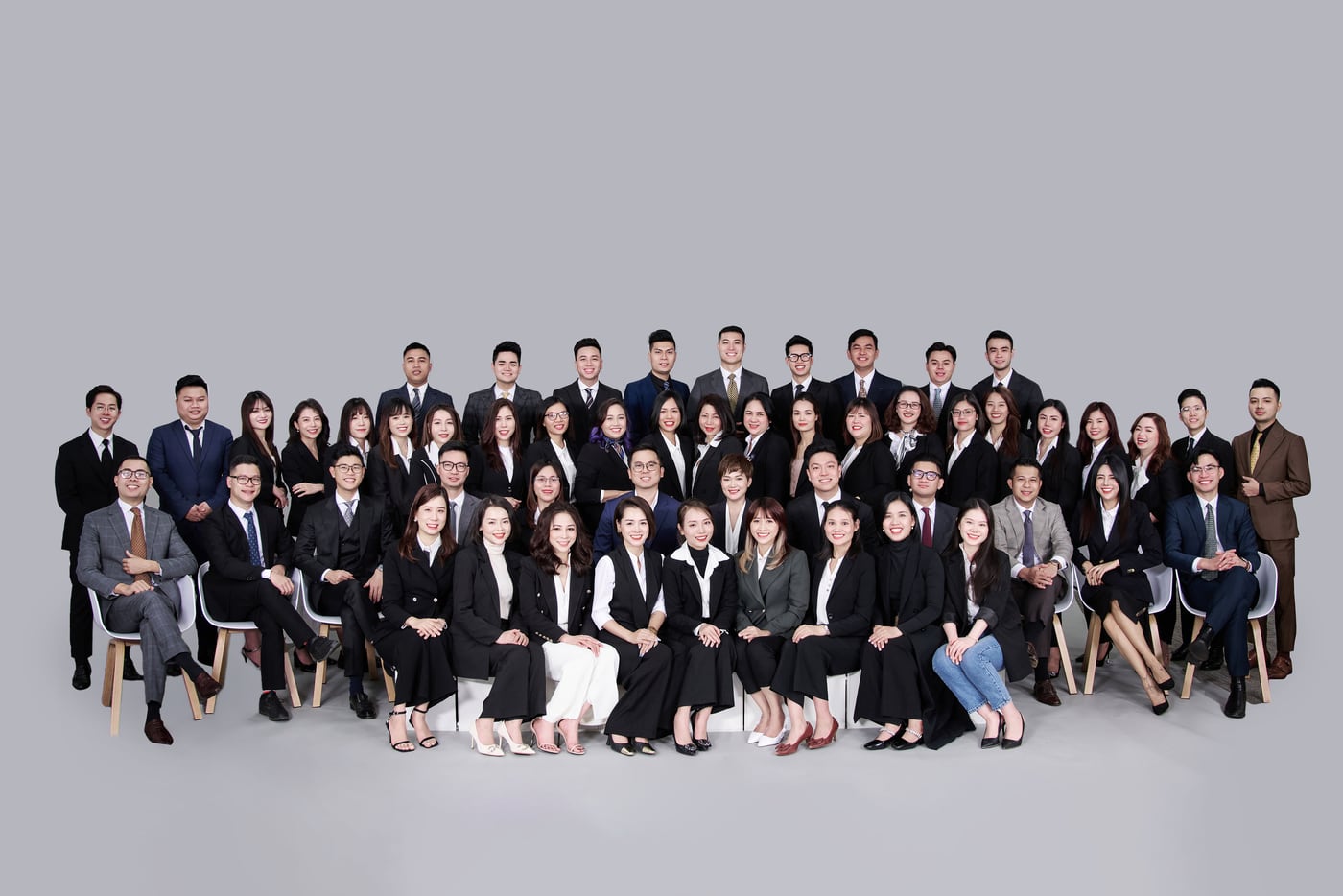
Quick summary: Photographing bank employee uniforms isn’t just “hire a photographer and go to the branch” — it requires 5 standards: (1) understand the uniform tones of 8 Vietnamese banks, (2) choose a neutral background that doesn’t conflict with brand color, (3) set up lighting separately for each tone (navy / red / yellow), (4) the 100-employees-per-day workflow at the branch, (5) retouch maintaining brand color delta E ≤ 3. This article guides bank HR / Brand Manager / Marketing in detail.
Why Banks Should Invest in Employee Uniform Photography
According to compiled public reports on digital trust in the banking sector (2023-2024) and Vietnamese market observations:
- 70%+ of Gen Z customers evaluate banks through the quality of employee photos on the website + app before opening an account
- 60%+ of B2B customers view the “Team” / “Leadership” page of a bank before signing a high-value credit contract
- Banks with synchronized + professional employee photo systems → significantly higher trust score than banks using self-shot or stock photos
According to compiled Customer Experience benchmark research in the financial industry:
- Over 55% of bank employees feel more attached to the organization after having professional portraits
- LinkedIn profiles of Relationship Managers with brand-standard photos → significant increase in inbound leads from corporate customers
- Branch employee signage with synchronized photos → shorter time for customers to find the right teller
Note: The figures above are aggregated estimates from public reports and Vietnamese market observations, not primary research data. Every bank project requires its own benchmarking within the organization’s specific context.
8 Vietnamese Banks — Uniform Tone Analysis for Photography
Important note — read carefully before using: The tones described below are public observations from employee uniforms + marketing materials at these banks — NOT official brand guidelines. Some banks have rebranded recently (e.g., Vietcombank updated brand identity with a new palette in 2023-2025) — the palette below may not reflect the latest changes. Every real photography project requires the bank to provide an official brand kit to determine standard hex codes, fonts, logo usage. The purpose of the table below is a setup handbook for lighting + background by tone group, not a declaration of partnership or official reference.
Tone Group Analysis Table — Top 8 Vietnamese Banks
| Bank | Uniform Tone Group | Common Secondary Tone | Suggested Background | Technical Shooting Notes |
|---|---|---|---|---|
| Vietcombank | Dark blue / navy (verify with latest brand kit) | White + red tie | Neutral medium gray or light white | Avoid same-tone background — will “sink” |
| BIDV | Emerald / emerald green + sandy yellow | White + yellow | Pure white or light gray | Strong fill light to keep green’s freshness |
| Techcombank | Bright red | White + gray | Medium gray or matte black | Avoid yellow light source (tungsten) — turns red orange-ish |
| MB Bank | Bright blue | Yellow + white | White or light gray | White background brings out bright blue best |
| ACB | Navy + emerald | White + silver | Medium gray | Need rim light to separate shirt from background |
| Sacombank | Navy + light blue | White + silver | Light gray or white | Mixing navy + light tones creates depth — needs 3-direction lighting |
| VPBank | Green | White + black | Pure white or matte black | White background brings out brand color best |
| TPBank | Purple | White + yellow | White or light gray | Purple is a tricky tone — needs calibrated monitor for retouching |
Golden rule: Before mass production, you MUST obtain the official brand kit from the bank (full hex code, Pantone, RGB, CMYK) + run a test shoot of 3-5 samples for Brand Manager approval. Tones in the table are only for initial scoping projects + standardizing lighting setup by tone group (dark blue / red / bright blue / purple).
Expert tip: When shooting uniforms with embroidered logos on the chest, you need minimum 24MP resolution so the logo doesn’t “blur” when cropping the portrait. Most banks require uniform logos to be clearly readable at employee ID size 600×800px.
4 General Rules for Bank Uniform Photography
4 General Rules for Bank Uniform Photography
- Accurate brand color — Delta E between shirt color and brand guideline ≤ 3 (humans can’t distinguish the difference)
- Non-competing background — Avoid background with same tone as uniform
- Sharp logo — Logo on chest must be sharp at 100% crop
- Standard skin tone — Don’t over-retouch making skin “plastic” and unnatural — banks value authenticity
Standard Backgrounds for Bank Uniform Photos
Option 1 — Onsite Studio at the Branch
Suitable for: Banks with > 50 employees at 1 branch, with a meeting room ≥ 25m²
Technical requirements:
- Room length minimum 5m (so photographer can step back far enough)
- Ceiling height ≥ 2.8m (to place key light)
- No large uncoverable windows (natural light disrupts lighting setup)
- Have 220V outlets for 4-6 studio lights
Pros:
- Participation rate 95%+ (employees don’t have to leave the branch)
- Can shoot during work hours without disruption
- Brand color background fully controlled via seamless paper backdrop
Cons:
- Need 2-3 logistics support staff from the bank (security + operations)
Option 2 — Professional Off-site Studio
Suitable for: Banks with < 30 employees (small branches) or shooting senior leadership needing maximum quality
Pros:
- Technically perfect lighting + background
- Suitable for leadership photos needing high “polish”
- Studio has 5-10 ready backgrounds
Cons:
- Participation rate typically 75-85% (some employees miss their slot)
- Each employee spends 1.5-2 hours traveling + shooting + returning
Refer to 3 Gạo Nâu Profile branches specialized in financial corporate photography — Hanoi (Tran Dai Nghia), HCMC D10 (Tran Binh Trong), HCMC D3 (Le Van Sy).
Option 3 — Hybrid (Onsite + Studio)
Suitable for: Banks with HQ + many branches, wanting leadership at studio and staff onsite
Process:
- Weeks 1-2: Shoot leadership at studio (premium portrait for personal profile, annual report)
- Weeks 3-6: Deploy onsite team to each branch shooting staff (mass uniform photos)
- Weeks 7-8: Retouch + deliver files by phase
Standard Lighting Setup for Bank Uniform Photography
Basic 3-light setup (for dark uniform tones — navy, dark blue)
Key light:    Softbox 90x60cm, 45° from top down, 60-80% power
Fill light:   Softbox 60x60cm, opposite key, 30-40% power (reduces drop shadows)
Rim light:    Strip light 30x120cm, behind 135°, 40-50% power (separates shirt from background)
Reason: Navy uniforms have high darkness — need strong Fill light to preserve shirt details, Rim light is mandatory to separate the shirt edge from the gray background.
3-light setup for red tone group
Key light:    Softbox 90x90cm, 45° top down, 50-70% power (avoid burning red)
Fill light:   White reflector 100x150cm, opposite key (no light — avoid doubling the red tone)
Rim light:    Strip light, behind, 30% power + neutral filter (avoid dyeing red onto background)
Reason: Red tone burns easily when over-exposed. Must check Red channel histogram — not exceeding 240/255 on the shirt.
3-light setup for purple tone group
Key light:    Softbox 90x60cm with 1/4 CTB gel (neutralizes tone, avoiding yellow/red shift)
Fill light:   Softbox 60x60cm, 40% power, white balance 5500K
Rim light:    Strip light back, 35% power, color temperature 5600K (avoid dyeing yellow into purple)
Reason: Purple is the trickiest tone — purple photos easily shift to blue or red depending on lighting. Mandatory calibrated monitor when shooting + retouching.
100-Employee-Per-Day Bank Workflow
Pre-production (Weeks -2 to -1)
Week -2:
- Brief meeting with HR + Brand Manager — finalize scope, brand guideline, NDA
- Site survey at branch — check meeting room, lighting, outlets, walkways
- Detailed timeline with 8-minute slots per person
- Send internal notice to employees — outfit, makeup, shoot schedule
Week -1:
- Test shoot 5-10 representative employees — finalize lighting + background setup
- Sample retouch 3-5 photos → bank approves standard retouching tone
- Print A4 samples → check brand color on paper
- Prepare NDA, consent form, employee list by slot
Shoot Day — Setup (6:30 - 8:00)
- 6:30: Team arrives at branch, sets up background + lighting (1 hour)
- 7:30: Test calibration with 2 employees in sample uniforms
- 8:00: Makeup area ready, first slot ready
Shoot Day — Production (8:00 - 17:00)
8 min/person slot:
- 1 min: Greet employee + check hair + adjust tie/scarf
- 5 min: Shoot 30-50 frames (3 angles: front, 3/4, side; 2 expressions: smile + neutral)
- 1 min: Preview on 24" monitor → employee picks 5 favorite frames
- 1 min: Employee exits, next slot in

12-13: Lunch break 1 hour, photographer checks light/color photos
17:00: Complete 100 employees + 10 buffer slots for late arrivals
Shoot Day — Wrap-up (17:00 - 18:30)
- 17:00: Backup raw photos to 2 hard drives + 1 cloud
- 17:30: Hand over list of shot employees to HR
- 18:00: Pack equipment, clean room, restore original state
- 18:30: Team departs
Post-production (Weeks +1 to +3)
Week +1: Cull photos — pick 5 best photos/employee → preview for HR approval
Week +2: Mass retouch per approved standards — focus on brand color + skin tone
Week +3: Multi-size output, naming convention, cloud upload, delivery
See also 100-employee-per-day photography process and 12-month corporate synchronized photo strategy for long-term perspectives.
Standard Retouching for Bank Uniform Photos
5 Inviolable Principles
- Maintain standard brand color — Delta E between shirt in photo and brand guideline ≤ 3
- Maintain natural skin tone — Don’t “flatten” the face, keep skin details, slight wrinkles still present
- Sharp logo — Local sharpening on logo area, no overall sharpening (creates grainy skin)
- Neat hair — don’t “erase flying hair” — Only trim disheveled flying hair, don’t erase all natural messy hair
- Brand-standard accessories — Tie, scarf, badge — verify correct position, not skewed
Professional Retouching Workflow
Step 1 — Color correction (5 min/photo):
  - White balance match with brand color reference
  - Adjust exposure no more than +/- 0.7 stop
  - Curve adjustment keeping midtone neutral

Step 2 — Skin retouch (8 min/photo):
  - Heal acne spots, small moles (don't remove distinctive moles)
  - Light Dodge & Burn under eyes
  - DO NOT use Frequency Separation excessively — turns skin "plastic"

Step 3 — Uniform retouch (3 min/photo):
  - Iron-out shirt (remove large folds, preserve fabric texture)
  - Local logo sharpening
  - Straighten tie / scarf

Step 4 — Background cleanup (2 min/photo):
  - Remove dust, small stains on backdrop
  - Ensure background uniformity between photos

Step 5 — Output (1 min/photo):
  - Export 4 sizes: 1080x1350 (web), 800x800 (LinkedIn), 600x800 (employee ID), 1500x2100 (branch signage)
  - Color profile sRGB for web, Adobe RGB for print
Total: 19 min/photo × 5 photos/employee = 95 min/employee. A team of 4 retouchers handles 100 employees in 5-7 days.
Multi-Size Output for Banks
4 Standard Sizes
| Use | Dimensions | Format | Color Profile |
|---|---|---|---|
| Website / annual report | 1080 × 1350 px | JPG (q90) | sRGB |
| LinkedIn / internal systems | 800 × 800 px | JPG (q90) | sRGB |
| Employee ID / ID badge | 600 × 800 px | JPG (q95) | sRGB |
| Branch staff signage | 1500 × 2100 px | TIFF | Adobe RGB |
Bank-Standard Naming Convention
{bank_code}_{branch_code}_{employee_id}_{shot_type}_{size}.{ext}

Example: VCB_HN001_EMP12345_portrait_1080x1350.jpg
         VCB_HN001_EMP12345_portrait_800x800.jpg
         VCB_HN001_EMP12345_portrait_600x800.jpg
         VCB_HN001_EMP12345_portrait_1500x2100.tif
Storage + Delivery System
- Main cloud: Google Drive / OneDrive for bank enterprise (permission by department)
- Backup: 2TB SSD hard drive handed over physically to Brand Manager
- DAM (Digital Asset Management): If the bank uses Bynder / Brandfolder → studio uploads directly with full metadata
- Studio storage: Delete raw files after 30 days per NDA, keep final files for 12 months to cover employees needing reprints
Aggregate Case Study — Bank Uniform Photography ROI
The figures below are aggregated from public VN banking case studies + industry average estimates, not specific customer data.
Before Investing in Synchronized Photos
- 70% of employees used self-shot / old ID photos on LinkedIn
- 45% of branches had staff signage with photos > 3 years old
- B2B customer feedback: “Hard to identify the right teller to meet”
- Conversion rate from website “Team” page → service consultation: 2.3%
After 6 Months of Synchronized 100-Employees-Per-Branch Photos
- 92% of employees updated LinkedIn with brand-standard photos within 30 days
- All branches have new staff signage — synchronized 4 sizes
- “Team” page conversion rate: 5.8% (+152%)
- B2B inbound leads through Relationship Managers: +38%
Specific ROI Calculation
| Item | Before | After 6 Months | Delta |
|---|---|---|---|
| Website inbound leads/month | 120 | 165 | +37% |
| Qualified leads | 32 | 58 | +81% |
| Average revenue/lead | 8 million VND | 9.2 million VND | +15% |
| Total new revenue/month | 256 million VND | 533 million VND | +108% |
ROI break-even typically achieved after 3-5 months from deploying new photos. See more in detailed ROI calculation for synchronized employee photos.
Bank Package Costs — 3 Budget Tiers
50-Employee Package — 35-60 million VND
- 1 shoot day at 1-2 branches
- 2 photographers + 1 makeup artist + 1 PM
- Retouch 5 photos/employee (1 cover + 4 portraits)
- Output 4 sizes
- Delivery in 14 days
100-150 Employee Package — 60-110 million VND
- 2 shoot days at 1-3 branches
- 3 photographers + 2 makeup artists + 1 stylist + 1 PM
- Retouch 5 photos/employee
- Output 4 sizes + DAM-ready metadata
- Delivery in 21 days
200-500 Employee Package — 150-280 million VND
- 5-8 shoot days at 5-10 branches
- 4-5 photographers + 3 makeup artists + 2 stylists + 2 PMs
- Retouch 5 photos/employee
- Output 4 sizes + Bynder/Brandfolder integration
- Delivery in 30-45 days
- Bonus: 1 day shooting senior leadership at studio
Refer to detailed packages at Corporate Group Photography service page or Office Photography.
7 Common Pitfalls When Shooting Bank Uniform Photos
1. Wrong brand color due to white balance shift
Consequence: Vietcombank navy turns “purple-ish navy,” Techcombank red turns “orange-red”
Prevention: Calibrate monitor + monitor LUT before shooting. Have a color checker chart in the test shoot.
2. Logo on chest blurs at employee ID size
Consequence: Logo unreadable at 600x800 px
Prevention: Shoot minimum 24MP + local logo sharpening in retouching
3. Background discolors over hours of shooting
Consequence: 100 photos shot in 1 day but background inconsistent
Prevention: Fix lighting + re-shoot reference frame every 2 hours + post-pro batch correction
4. Flying hair from AC fans
Consequence: Many photos need manual retouch — costs 3-5 min/photo
Prevention: Turn off AC in shoot area, use small controlled fan or temporary hair clips
5. Unnatural employee smiles
Consequence: Photos look “frozen” — doesn’t match friendly brand
Prevention: Photographer chats 30 seconds before shooting, uses light jokes. Burst shoot 5-10 frames/expression to pick natural one
6. Uniform has many wrinkles at slot arrival
Consequence: Wrinkled shirts — must retouch or reshoot
Prevention: Have steam iron + stylist support at makeup slot. Recommend employees bring hanging (not folded) uniforms to the branch
7. Employees wearing inconsistent outfits
Consequence: Some old shirts (old logo), some new shirts — overall photos inconsistent
Prevention: HR distributes new uniforms simultaneously before shoot day. Studio checks logo + shirt size before slots.
See more on standardizing corporate team imagery — pitfall summary for 100-1000 employee businesses.
30-Day Pre-Shoot Checklist for Bank Uniform Photography
30 Days Before
- Brief meeting HR + Brand Manager — finalize scope, budget, goals
- Finalize studio partner — sign contract + NDA
- Detailed 4-week timeline
21 Days Before
- Site survey at 1-3 main branches
- Internal announcement — outfit, hair, makeup requirements
- Order new uniforms if replacement needed
14 Days Before
- Test shoot 5-10 representative employees
- Sample retouch 3-5 photos — Brand Manager approves tone
- Print A4 sample — check brand color on paper
7 Days Before
- Schedule 8-minute slots per person — confirm with each employee
- Prepare NDA + consent form
- Set up steam iron + outfit support tools at branch
1 Day Before
- Final equipment check — lights, cameras, backup hard drives
- Team brief — clear role assignments
- Confirm logistics — taxi/car, lunch, parking
Shoot Day
- 6:30 arrive for setup
- 8:00 start shooting
- Every 2 hours check reference frame
- 12:00 - 13:00 lunch break
- 17:00 complete production
- 17:30 backup photos + hand over list
30 Days After
- Complete retouching + multi-size output
- Hand over cloud + hard drive
- HR sends photos to each employee + LinkedIn update instructions
- Update branch staff signage
- Run a centralized profile-update session at the office to reach 90%+ update rate within 30 days
Conclusion
Bank employee uniform photography is a brand-critical project — being off by 1 shade of brand color or having a blurry logo poses brand identity risk. 5 standards to grasp:
- Understand each bank’s uniform tone (navy, red, yellow, purple)
- Neutral background not conflicting with brand color
- Lighting setup specific to each tone
- 100-employees-per-day workflow — 8-min slot per person
- Retouch maintaining brand color delta E ≤ 3
Banks investing in synchronized photo systems typically achieve ROI break-even after 3-5 months with inbound lead indicators +37%, revenue +108% after 6 months.
Start your bank uniform photography project: Refer to Corporate Group Photography package, or book a free survey at 3 Gạo Nâu branches — Hanoi, HCMC D10, HCMC D3. Team specialized in handling 50-500 employee projects in the financial industry.